Bambu Lab Warranty
Know exactly what your Bambu Lab warranty covers
Warranty period for every Bambu Lab printer, AMS unit, purifier and accessory we sell, with the parts each model covers. Find your model and see exactly what is protected.
Warranty at a glance
Every Bambu Lab product carries a 12-month product warranty. Some wear-and-tear parts are covered for a shorter period, and consumables are not covered.
| Model | Product (as listed by Bambu Lab) | Product warranty | Main components | Shorter-period parts |
|---|---|---|---|---|
| 3D Printers | ||||
| X1 Series | X1 Series Printer | 12 months | 12 months36 parts | 3 months: Extruder Unit, Maker's Supply |
| P1 Series | P1 Series Printer | 12 months | 12 months36 parts | 3 months: Extruder Unit, MicroSD Card, Maker's Supply |
| A1 Series | A1 Series Printer | 12 months | 12 months26 parts | 3 months: Extruder Unit, MicroSD Card, Maker's Supply |
| A2L | A2L 3D Printer | 12 months | 12 months39 parts | 3 months: Extruder Unit, MicroSD Card, Maker's Supply |
| H2 Series | H2 Series Printer | 12 months | 12 months52 parts | 3 months: Dual Extruder Unit, Dual Extruder Idlers and Filament Sensor, Laser Air Assist Tube Connector, Maker's Supply |
| H3C Combo | H3C Combo | 12 months | 12 months137 parts | 3 months: Maker's Supply |
| P2S | P2S Printer | 12 months | 12 months58 parts | 3 months: Maker's Supply |
| X2D | X2D Printer | 12 months | 12 months61 parts | 3 months: Auxiliary Extruder, Auxiliary Extruder Upper Cover Assembly |
| Laser Engraver & Cutter | ||||
| R1 | Bambu Lab R1 | 12 months | 12 months63 parts | 6 months: Laser Tube Assembly 3 months: Air-assist Nozzle, Reflective Mirror, Smoke Curtain, Focusing Lens, Riser Base Smoke Curtain, Smoke Ventilation Filter, Rubber Feet |
| AMS Filament Systems | ||||
| AMS | AMS | 12 months | 12 months10 parts | 3 months: AMS Feeder Unit |
| AMS lite | AMS lite | 12 months | 12 months8 parts | 3 months: AMS lite Feeder Unit, AMS lite Rotary Spool Holder |
| AMS 2 Pro | AMS 2 Pro | 12 months | 12 months13 parts | 3 months: AMS 2 Pro Feeder Unit |
| AMS HT | AMS HT | 12 months | 12 months14 parts | 3 months: AMS HT Feeder Unit |
| Air Purifiers | ||||
| E1 Air Purifier | Bambu Lab E1 Air Purifier | 12 months | 12 months10 parts | No short-period parts |
| Purifier E1 Pro | Bambu Lab Purifier E1 Pro | 12 months | 12 months3 parts | No short-period parts |
| Furniture | ||||
| Workstation L | Bambu Lab Workstation L (Open Frame / Enclosed Version) | 12 months | 12 months10 parts | No short-period parts |
Printer parts coverage compared
How the same part category is treated across each printer model.
Extruder unit cover excludes the extruder gear assembly and filament sensor on X1, P1, A1 and A2L.
| Part category | X1 Series | P1 Series | A1 Series | A2L | H2 Series | H3C Combo | P2S | X2D |
|---|---|---|---|---|---|---|---|---|
| Complete printer | 12 mo | 12 mo | 12 mo | 12 mo | 12 mo | 12 mo | 12 mo | 12 mo |
| Main components (motors, boards, fans, belts, screen, frame) | 12 mo | 12 mo | 12 mo | 12 mo | 12 mo | 12 mo | 12 mo | 12 mo |
| Extruder unit / auxiliary extruder | 3 mo | 3 mo | 3 mo | 3 mo | 3 mo | Not listed | Not listed | 3 mo |
| Maker's Supply (hardware kits, tools, electronics) | 3 mo | 3 mo | 3 mo | 3 mo | 3 mo | 3 mo | 3 mo | Not listed |
| MicroSD card | Not listed | 3 mo | 3 mo | 3 mo | Not listed | Not listed | Not listed | Not listed |
| Hotend and nozzle | None | None | None | None | None | None | None | None |
| Extruder gear assembly | None | None | None | None | None | Not listed | None | None |
| Build plates and spare sheets | None | None | None | None | None | None | None | None |
| PTFE tube | None | None | None | None | None | None | None | Not listed |
| Air filter | None | None | Not listed | Not listed | None | None | None | None |
| Filament and materials | None | None | None | None | None | None | None | None |
Warranty by model
Select your model to see its warranty timeline, every covered component, and what is not covered.
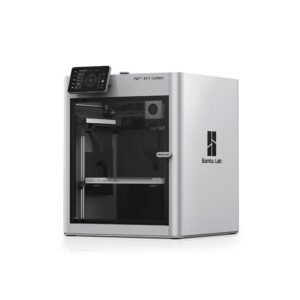
12 months Components covered
Filament Feeding & AMS2
- AMS Hub
- Filament Buffer
Cameras & Sensors2
- Heatbed Sensor Unit
- Chamber Camera
Cooling & Airflow5
- Auxiliary Part Cooling Fan
- Chamber Temperature Regulator Fan
- MC Board Fan
- Part Cooling Fan
- Cooling Fan for Hotend
Electronics & Boards6
- TH Board FPC Cable
- TH Board
- Extruder Connection Board
- AC Board
- AP board
- MC Board
Cables & Connectors3
- Heatbed Signal Cable
- USB-C Cable
- Screen Connector Cable
Heating2
- Heatbed Unit
- X1E Chamber Heater Unit
Extruder & Toolhead2
- Extruder Motor
- Filament Cutter Lever
Motors, Belts & Motion4
- X-Axis Carbon Rods Assembly
- XY Motor / Z-Axis Motor
- XY Belt
- Z Belt
Screen, Lights & Power3
- High Resolution Screen
- WiFi Antenna
- LED Light
Frame, Panels & Housing7
- Front Cover
- Front Glass Door
- Front Door Mounting Kit
- Glass Cover Plate
- Left Side Panel / Right Side Panel / Rear Panel
- Front Housing Assembly
- Supportive Footpad
3 months Shorter-period components
- Extruder Unit (excluding the Extruder Gear Assembly and the Extruder Filament Sensor)
- Maker's Supply (including Hardware Kits, Maker's Supply Models, MakerLab Accessories, Maker Combo Kits, Hardware Parts, Electronics, Tools & Others)
No warranty Consumables and accessories
- Complete Bambu Hotend and all its individual parts (Nozzle, Hotend Heating Assembly, Ceramic Heater, Thermistor and Silicone Sock for Hotend)
- Extruder Gear Assembly
- Build plates
- Spare sheets for build plates
- Glue Stick for Build Plate
- Liquid Glue for Build Plate
- Filament Cutter
- Bambu Scraper
- Bambu Activated Carbon Air Filter
- Filament
- PTFE Tube / PTFE Tube Connector
No part in this model's list matches your search.
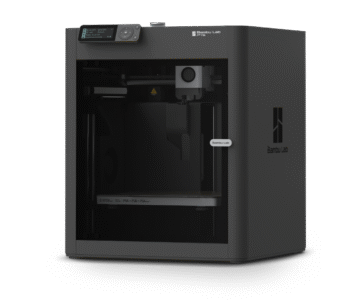
12 months Components covered
Filament Feeding & AMS2
- AMS Hub
- Filament Buffer
Cameras & Sensors2
- Chamber Camera
- Heatbed Sensor Unit
Cooling & Airflow5
- Auxiliary Part Cooling Fan
- Chamber Temperature Regulator Fan
- MC Board Fan
- Part Cooling Fan
- Cooling Fan for Hotend
Electronics & Boards6
- AP board
- MC Board
- TH Board FPC Cable
- TH Board
- Extruder Connection Board
- AC Board
Cables & Connectors3
- Heatbed Signal Cable
- Toolhead Cable
- Screen Connector Cable
Heating1
- Heatbed Unit
Extruder & Toolhead2
- Extruder Motor
- Filament Cutter Lever
Motors, Belts & Motion4
- X-Axis Carbon Rods Assembly
- XY Belt
- Z Belt
- XY Motor / Z-Axis Motor
Screen, Lights & Power3
- Screen
- WiFi Antenna
- LED Light
Frame, Panels & Housing8
- Front Cover
- Front Glass Door
- Glass Cover Plate
- Front Door Mounting Kit
- Left Side Panel (Plastic) / Right Side Panel (Plastic)
- Rear Panel / Rear Panel (Metal)
- Front Housing Assembly
- Supportive Footpad
3 months Shorter-period components
- Extruder Unit (excluding the Extruder Gear Assembly and the Extruder Filament Sensor)
- MicroSD Card (32 GB)
- Maker's Supply (including Hardware Kits, Maker's Supply Models, MakerLab Accessories, Maker Combo Kits, Hardware Parts, Electronics, Tools & Others)
No warranty Consumables and accessories
- Complete Bambu Hotend and all its individual parts (Nozzle, Hotend Heating Assembly, Ceramic Heater, Thermistor and Silicone Sock for Hotend)
- Extruder Gear Assembly
- Build plates
- Spare sheets for build plates
- Glue Stick for Build Plate
- Liquid Glue for Build Plate
- PTFE Tube / PTFE Tube Connector
- Filament Cutter
- Bambu Scraper
- Bambu Activated Carbon Air Filter
- Filament
No part in this model's list matches your search.
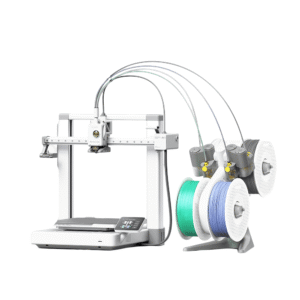
12 months Components covered
Filament Feeding & AMS1
- AMS Lite Filament Hub
Cameras & Sensors1
- Live View Camera
Cooling & Airflow3
- Mainboard Fan
- Part Cooling Fan
- Cooling Fan for Hotend
Electronics & Boards3
- Mainboard
- TH Board
- AC Board
Cables & Connectors2
- Bambu USB-C Cable
- Screen Connector Cable
Heating1
- Heatbed Unit
Extruder & Toolhead3
- Extruder Motor
- Purge Wiper
- Filament Cutter Lever
Motors, Belts & Motion8
- X-Axis Motor Cover
- Z-Axis Assembly
- Y-Axis Assembly
- X-Axis Assembly
- X Belt
- Y Belt
- Z Belt
- X-Axis Motor / Y-Axis Motor / Z-Axis Motor
Screen, Lights & Power3
- Touch Screen
- WiFi Antenna
- LED Light
Frame, Panels & Housing1
- Printer Frame
3 months Shorter-period components
- Extruder Unit (excluding the Extruder Gear Assembly and the Extruder Filament Sensor)
- MicroSD Card (32 GB)
- Maker's Supply (including Hardware Kits, Maker's Supply Models, MakerLab Accessories, Maker Combo Kits, Hardware Parts, Electronics, Tools & Others)
No warranty Consumables and accessories
- Complete Bambu Hotend and all its individual parts (Nozzle, Hotend Heating Assembly, Ceramic Heater, Thermistor and Silicone Sock for Hotend)
- Extruder Gear Assembly
- Build plates
- Spare sheets for build plates
- Glue Stick for Build Plate
- Liquid Glue for Build Plate
- Filament Cutter
- Bambu Scraper
- Nozzle Wiper
- PTFE Tube / PTFE Tube Connector
- Filament
No part in this model's list matches your search.

12 months Components covered
Filament Feeding & AMS1
- Filament Hub
Laser, Cutting & Crafting1
- Cutting Module Adapter Board
Cameras & Sensors2
- Nozzle Eddy Sensor
- Live View Camera
Cooling & Airflow2
- Cooling Fan for Hotend
- Part Cooling Fan
Electronics & Boards4
- TH Board
- 4/6-Pin Connection Board
- Mainboard (110V/220V)
- AC Board (110V/220V)
Cables & Connectors3
- Toolhead Cable
- Printer Cable Pack
- Power Cable
Heating1
- Heatbed Unit (110V/220V)
Extruder & Toolhead8
- Extruder Unit Front Cover
- Extruder Motor
- Filament Cutter Lever
- Extruder Rear Cover
- Toolhead Rear Housing
- Toolhead Front Cover
- Toolhead Block
- Purge Wiper
Motors, Belts & Motion8
- X/Y Axis Tensioner Pulley
- Y/Z-Axis Tensioner
- Y-Axis Assembly
- X Belt / Y Belt / Z Belt
- X-Axis Motor Cover
- X/Y Axis Assembly
- X-Axis Motor / Y-Axis Motor / Z-Axis Motor
- Y-Axis Top Cover
Screen, Lights & Power4
- Power Switch Assembly
- Power Supply
- Touch Screen
- WiFi Antenna
Frame, Panels & Housing5
- Base Housing
- Printer Frame
- Bottom Cover
- End Cap
- Base Housing Assembly
3 months Shorter-period components
- Extruder Unit (excluding the Extruder Gear Assembly and the Extruder Filament Sensor)
- MicroSD Card
- Maker's Supply (including Hardware Kits, Maker's Supply Models, MakerLab Accessories, Maker Combo Kits, Hardware Parts, Electronics, Tools & Others)
No warranty Consumables and accessories
- Complete Bambu Hotend and all its individual parts (Nozzle, Hotend Heating Assembly, Ceramic Heater, Thermistor and Silicone Sock for Hotend)
- Filament Cutter
- Build plates and spare sheets for build plates
- Bambu Scraper
- Extruder Gear Assembly
- Nozzle Wiper
- PTFE Tube / PTFE Tube Connector
- Bambu Filament
- Glue Stick for Build Plate
- Supportive Footpad
No part in this model's list matches your search.
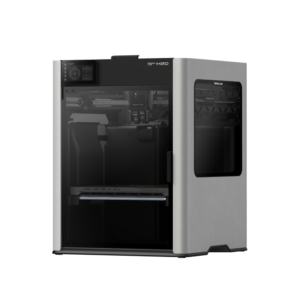
12 months Components covered
Filament Feeding & AMS2
- Filament Buffer
- 4-In-1 PTFE Adapter II
Laser, Cutting & Crafting4
- Laser Module
- Cutting Module
- Front Glass Door / Front Laser Safety Window
- Left Side Panel with Laser Safety Window / Right Side Panel with Laser Safety Window
Cameras & Sensors1
- Live View Camera / Birds Eye Camera / Nozzle Camera / Toolhead Camera
Cooling & Airflow10
- Part Cooling Fan Air Duct
- Chamber Exhaust Fan
- Chamber Heat Circulation Fan
- Hotend Cooling Fan Air Duct
- Auxiliary Part Cooling Fan
- MC Board Fan
- Toolhead Enhanced Cooling Fan
- Cooling Fan for Hotend
- Induction Hotend Rack Assembly and its Components
- Induction Hotend Latch Actuator
Electronics & Boards10
- USB Port Board
- 4pin Interface Board
- AP Board (For 110V Printer) / AP board (For 220V Printer)
- MC board
- TH Board FPC Cable
- TH Board
- Extruder Connection Board
- AC Board (For 110V Printer) / AC board (For 220V Printer)
- Wireless Network Board
- Ethernet Board
Cables & Connectors2
- USB-C Cable
- Cable Chain
Heating2
- Heatbed Unit (For 110V Printer) / Heatbed Unit (For 220V Printer)
- Chamber Heater Unit (For 110V Printer) / Chamber Heater Unit (For 220V Printer)
Extruder & Toolhead7
- Tool Head with X-Axis Assembly
- 3513 Extruder Servo Motor
- Toolhead Front Cover
- Purge Wiper
- Filament Cutter Lever - Left / Filament Cutter Lever - Right
- Filament Cutter Stopper
- Toolhead Rear Cover
Motors, Belts & Motion5
- X-Axis Assembly
- XY Belt / Z Belt
- XY Motor / Z Motor
- 2004 Switching Motor Unit
- 2004 Lifting Motor Unit
Screen, Lights & Power3
- Touchscreen
- WiFi Antenna
- Top Chamber LED - Left / Top Chamber LED - Right
Frame, Panels & Housing6
- Supportive Footpad
- Front Cover
- Glass Cover Plate
- Left Side Panel with Glass Window / Right Side Panel with Glass Window / Rear Panel
- Side Glass - Left / Side Glass - Right
- Front Door Mounting Kit
3 months Shorter-period components
- Dual Extruder Unit (excluding the Dual Extruder Gear Assembly)
- Dual Extruder Idlers and Filament Sensor
- Laser Air Assist Tube Connector
- Maker's Supply (including Hardware Kits, Maker's Supply Models, MakerLab Accessories, Maker Combo Kits, Hardware Parts, Electronics, Tools & Others)
No warranty Consumables and accessories
- Complete Bambu Hotend and all its individual parts (Nozzle, Hotend Heating Assembly, Ceramic Heater, Thermistor and Silicone Sock for Hotend)
- Dual Extruder Gear Assembly
- PTFE Tube / PTFE Tube Connector
- Build Plates
- Spare sheets for Build Plates
- Glue Stick for Build Plate
- Liquid Glue for Build Plate
- Filament Cutter
- Bambu Scraper
- Nozzle Blocker
- Air Filter
- Air Pump Filter
- Smoke Purifier Air Filter Combo
- Filaments
- Material
- Fine Point Blade
- Laser Platform
- Cutting Platform
- Induction Hotend Latch
- 4-in-1 PTFE adapter filament II cleaning pad
- Nozzle Cleaning Sponge
No part in this model's list matches your search.
H3C Combo warranty
H3C Combo
12 months Components covered
Filament Feeding & AMS39
- AMS 3H Cable Pack
- Filament Buffer
- PTFE Tube Guide Assembly
- AMS 3H Lid Strut - Left/Right
- AMS 3H PTFE Tube Bracket
- AMS 3H Sealing Pack
- AMS 3H Left/Right Panel
- AMS 3H Front Panel
- AMS 3H Mainboard
- AMS 3H Rear Panel
- AMS 3H Connector Board
- AMS 3H Top Lid
- AMS 3H 6pin Connector Board
- AMS 3H Front Beam
- AMS 3H Left/Right Frame
- AMS 3H Dry Box Cover
- AMS 3H Circuit Board Trim
- AMS 3H Auto Filament Loader Cover
- AMS 3H Filament Inlet Assembly
- AMS 3 Temperature/Humidity Sensor
- AMS 3H AC Board
- AMS 3H Air Inlet Unit
- AMS 3H Main Frame
- AMS 3H Heating Unit
- AMS 3H Auto Filament Loader
- AMS 3H Feed Selector
- AMS 3H Auto Filament Loader Base Plate
- AMS 3H Power Socket
- AMS 3H RFID Reader - Solid
- AMS 3H Feed Selector Motor
- AMS 3H RFID Reader - Hollow
- AMS 3H Feeder Motor
- Ceramic Bypass Feed
- AMS 3H PTFE Tube Bracket Slider
- 2012 FlexFeed Motor
- AMS 3H Auto Filament Loader Indicator
- AMS 3H Top Lid Handle
- AMS 3H AC Board Wire Management
- PTFE Tube Connector
Laser, Cutting & Crafting7
- Filament Cutting Assembly for PrintTool (2.85mm)
- Blade Housing
- Pen Housing
- CraftTool Base
- CutTool - Fine-point Blade
- DrawTool kit
- Crafting Upgrade Kit
Cameras & Sensors10
- Nozzle Eddy Sensor
- Liveview Camera
- BirdsEye Camera
- Nozzle Clumping Sensor Assembly
- Tool Reader
- Dock Alignment Sensor
- Chamber Temperature Sensor
- Chamber Hall Sensor Pack
- Toolhead Camera
- Nozzle Offset Calibration Sensor
Cooling & Airflow10
- Adaptive Airflow Assembly - Right
- Adaptive Airflow Assembly - Back
- Part Cooling Fan
- PrintTool Cooling Fan
- Hotend Cooling Fan
- Power Supply Cooling Fan
- Auxiliary Part Cooling Fan
- Chamber Cooling Fan
- Flow Blocker
- Auxiliary Part Cooling Fan Duct - Left
Electronics & Boards11
- 6-pin Port Board
- Tool Control Bridge Board
- AC Power Cord
- AP Board
- MC Board
- AC Board
- USB Port Board
- TH Board
- Swaptek Rack Control Board
- Extruder Connection Board
- Tool Control Board
Cables & Connectors8
- Power Socket
- Cable Chain
- Bambu Bus Cable - 6pin
- USB-C Cable
- Screen FPC
- Printer Cable Pack
- V-Shape Tube Connector
- Inline Tube Connector
Heating2
- Heatbed Assembly
- Chamber Heater Assembly - Back
Extruder & Toolhead15
- Cutter Push Arm Assembly
- Filament Cutter Stopper
- Tool Holder
- Toolhead Rear Cover
- Tool Head with X-Axis Assembly
- Toolhead Carriage
- PrintTool Base
- PrintTool Base (for 2.85mm filament)
- Filament Cutter Assembly
- 2521 Extruder Servo Motor
- Toolhead Front Cover
- Purge Wiper
- 0.4mm PrintTool (excluding nozzle)
- 0.4mm PrintTool (for 2.85mm filament)
- Purge Chute
Motors, Belts & Motion17
- Swaptek Rack Frame
- Dock Assembly
- ToolLock Assembly
- Swaptek Rack
- X-Axis Assembly
- Idler Assembly
- Driven Support Shaft Assembly
- XY Belt Tensioner
- XY Belt
- Z Belt Assembly
- Z-Axis Tensioner
- 2012 ToolLock Motor
- XY Motor-Left/Right
- Z Motor
- Rack Lift Motor
- Idler Pulley
- Z-axis Leadscrew Kit
Screen, Lights & Power6
- Top Chamber LED - Left/Right
- Top Chamber LED Cover
- Status Indicator
- Power Supply
- Touchscreen
- WiFi Antenna
Frame, Panels & Housing12
- Side Panel - Left/Right
- Air Filter Cover
- Anti-Vibration Feet
- Screws Kit
- Front Door
- Front Door Mounting Kit
- Back Panel
- Enclosure Top Frame
- Front Cover
- Enclosure Plastic Bottom Ring
- Chamber Liner - Back Left/Right
- Side Window - Left/Right
3 months Shorter-period components
- Maker's Supply (including Hardware Kits, Maker's Supply Models, MakerLab Accessories, Maker Combo Kits, Hardware Parts, Electronics, Tools & Others)
No warranty Consumables and accessories
- Nozzle Wiping Pad
- Grease for Toolhead
- 0.2/0.6/0.8mm Hardened Steel Hotend
- Textured PEI Plate
- Desiccant for AMS
- Fine-point Blade
- Air Filter
- PrintTool Tube 4m
- Deboss Tip (0.2mm)
- 0.4mm Hardened Steel Hotend
- 0.4/0.6/0.8mm Tungsten-Carbide Hotend
- Foil Transfer Tip (0.35mm)
- 0.4mm Hotend (for 2.85mm filament)
- 0.4/0.6/0.8mm High-Flow Tungsten-Carbide Hotend
- Assorted Marker Set
- Silicone Sock for Hotend
- 0.6/0.8mm Hotend (for 2.85mm filament)
- Marker Refill Kit
- Toolbox
- 0.4/0.6/0.8mm High-flow Hotend
- Cool Plate SuperTack
- PTFE Tube
- StrongGrip Cutting Mat
- Engineering Plate
- AMS 3H Feeding Funnel
- LightGrip Cutting Mat
- PrintTool Tube
- AMS 3H Feeder Gear Set
- Cutting Platform
No part in this model's list matches your search.
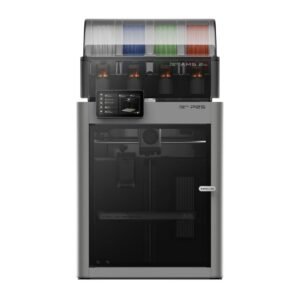
12 months Components covered
Filament Feeding & AMS3
- Filament Buffer
- PTFE Tube Bracket
- Spool Holder
Cameras & Sensors4
- Door Sensor
- Chamber Temperature Sensor
- Eddy Sensor
- Live View Camera
Cooling & Airflow4
- Auxiliary Part Cooling Fan
- Part Cooling Fan
- Cooling Fan for Hotend
- Adaptive Airflow Switching Unit
Electronics & Boards8
- AP board
- MC Board
- TH Board FPC Cable
- TH Board
- Extruder Connection Board
- AC Board
- AP Board Cover
- MC AP Cable Pack (2-in-1)
Cables & Connectors5
- Toolhead Cable
- USB Port Assembly
- Screen FPC Cable
- Cable Chain
- Printer Cable Pack
Heating1
- Heatbed Unit
Extruder & Toolhead9
- 3508 Extruder Servo Motor
- Toolhead Front Cover Assembly
- Filament Cutter Lever
- Extruder Unit Front Cover Assembly
- Filament Cutter Stopper
- Purge Wiper
- Toolhead Carriage
- Toolhead Rear Cover
- Toolhead Middle Housing
Motors, Belts & Motion10
- XY Belt
- Z Belt
- XY Motor
- Z Motor
- X-Axis Assembly
- Z-axis Leadscrew Kit
- Idler Pulley
- XY Belt Tensioner
- Z Belt Timing Pulley
- Belt Tensioner Bracket
Screen, Lights & Power6
- Screen
- WiFi Antenna
- LED Light
- Screen Rear Housing with Hinge
- Power Switch Assembly
- Power Supply
Frame, Panels & Housing8
- Front Cover
- Front Glass Door
- Glass Cover Plate
- Front Door Mounting Kit
- Left Side Panel (Plastic) / Right Side Panel (Plastic)
- Rear Panel / Rear Panel (Metal)
- Anti-Vibration Feet
- Inner Lining
3 months Shorter-period components
- Maker's Supply (including Hardware Kits, Maker's Supply Models, MakerLab Accessories, Maker Combo Kits, Hardware Parts, Electronics, Tools & Others)
No warranty Consumables and accessories
- Complete Bambu Hotend and all its individual parts (Nozzle, Hotend Heating Assembly and Silicone Sock for Hotend)
- Extruder Gear Assembly
- Build Plate
- Spare Sheets for Build Plates
- Glue Stick for Build Plate
- Liquid Glue for Build Plate
- PTFE Tube / PTFE Tube Connector
- Filament Cutter
- Bambu Scraper
- Filament
- Air Filter
- Nozzle Wiping Plate
- Nozzle Wiping Pad
No part in this model's list matches your search.

12 months Components covered
Filament Feeding & AMS1
- Filament Buffer
Cameras & Sensors7
- Toolhead Camera
- Live View Camera
- Extruder Filament Sensor
- Eddy Sensor
- Chamber Temperature Sensor
- Nozzle Offset Calibration Sensor
- Door Sensor
Cooling & Airflow5
- Flow Blocker Assembly
- Adaptive Airflow Switching Unit
- Cooling Fan for Hotend
- External Exhaust Fan Bundle
- MC Board Fan
Electronics & Boards8
- TH Board
- Hotend Heating Assembly Connection Board
- Extruder Connection Board
- AP Board Cover
- AP Board
- MC AP Cable Pack (2-in-1)
- MC Board
- AC Board
Cables & Connectors5
- USB-C Cable
- USB Port Assembly
- Power Cable
- Cable Chain
- Screen FPC Cable
Heating2
- Chamber Heater Unit
- Heatbed
Extruder & Toolhead9
- 3508 Extruder Servo Motor
- Filament Cutter Lever
- Purge Wiper
- Filament Cutter Stopper
- Toolhead Front Cover Assembly
- Toolhead Rear Cover
- Toolhead Middle Housing
- Extruder Unit Front Cover Assembly
- Toolhead Carriage
Motors, Belts & Motion12
- XY Belt
- XY Motor
- XY Idler Pulley Holder
- XY Belt Tensioner
- Y-axis Assembly
- Z Motor
- Z Belt
- Z Belt Timing Pulley
- Z-axis Leadscrew Kit
- Z-Axis Tensioner
- X-Axis Assembly
- Idler Pulley
Screen, Lights & Power5
- Screen
- LED Light
- WiFi Antenna
- Power Supply
- Power Switch Assembly
Frame, Panels & Housing7
- Left Side Panel
- Right Side Panel
- Rear Panel
- Front Cover
- Front Glass Door
- Front Door Mounting Kit
- Glass Cover Plate
3 months Shorter-period components
- Auxiliary Extruder
- Auxiliary Extruder Upper Cover Assembly
No warranty Consumables and accessories
- Filament Cutter
- Silicone Sock for Hotend
- Flow Blocker
- Nozzle Wiping Pad
- Nozzle Wiping Plate
- Build plates
- Auxiliary Extruder Gear Assembly
- Extruder Gear Assembly
- Hotend Heating Assembly
- Air Filter
- Nozzle
No part in this model's list matches your search.
12 months Components covered
Laser, Cutting & Crafting7
- Laser Power Supply
- Laser Alignment Sensor FPC
- Reflective Mirror Assembly
- Smoke Ventilation Fan
- Laser Tube Mount
- The third reflective mirror module
- Laser Alignment Sensor
Cameras & Sensors5
- Optical Sensor Module
- Flame Sensor
- Y-axis Motor Encoder
- PM2.5 Sensor
- BirdsEye Camera with Lighting
Cooling & Airflow7
- Water Tank
- Radiator Fan
- Fan
- Ventilation Fan Mounting Base
- Air Pump
- Exhaust Hose Adapter
- Exhaust Hose Connector
Electronics & Boards6
- Control Button Board
- TH Board
- 4-pin & 8-pin Extension Board
- Main Board
- Mainboard
- USB Port Board
Cables & Connectors7
- Riser Base Cable Set
- Wiring Harness Pack
- Drag Chain with Cable
- Conveyor Cable Set
- Power Socket
- 6-pin Cable
- 8-pin Cable
Extruder & Toolhead1
- Toolhead Cover
Motors, Belts & Motion15
- Spiral Torsion Spring
- Z-axis Linear Rail
- Z-axis Motor
- X-axis Motor
- Y-axis Motor
- Y-axis Linear Rod
- Y-axis Belt
- X-axis Assembly
- Idler Pack
- Conveyor Motor with Belt
- Pinch Motor
- X-axis belt
- Conveyor Pinch Roller Mount
- Support Roller Assembly
- Conveyor Guide Rail
Screen, Lights & Power5
- LED Lighting Kit
- Power Supply
- Power Filter & Protecter
- WiFi Antenna
- Screen
Frame, Panels & Housing10
- Riser Base Front & Rear Panels
- Riser Base Left Assembly
- Riser Base Right Assembly
- Front Cover
- Back Cover
- Left Shell
- Right Shell
- Front & Rear Panel Set
- Top Lid Assembly
- Top Lid Strut
6 months Shorter-period components
- Laser Tube Assembly
3 months Shorter-period components
- Air-assist Nozzle
- Reflective Mirror
- Smoke Curtain
- Focusing Lens
- Riser Base Smoke Curtain
- Smoke Ventilation Filter
- Rubber Feet
No warranty Consumables and accessories
- Toolhead Strip Brush
- Water Tube Clamp
- Calibration Block
- Air Filter
- Water Inlet Plug
- Exhaust Hose
- Air Pump Tube Kit
- Foam Padding Set for Filter & Machine Feet
- Slat
- Packaging Materials
- Base Tray
- Smoke Ventilation Hose
No part in this model's list matches your search.
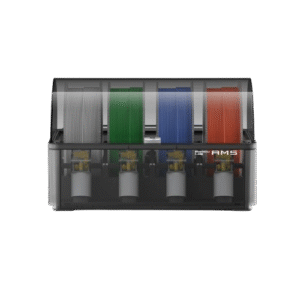
12 months Components covered
- AMS Mainboard
- AMS Top Lid
- AMS Bottom Cover Unit
- AMS Main Frame (V3)
- AMS Power Board
- AMS RFID Board
- AMS Internal Hub Unit
- AMS Internal Hub Motor
- Filament Buffer Connection Board
- Bambu Bus Cable - 4pin / Bambu Bus Cable - 6pin
3 months Shorter-period components
- AMS Feeder Unit (excluding AMS Feeder Funnel Unit)
No warranty Consumables and accessories
- PTFE Tube / PTFE Tube Connector
- AMS Active Support Shaft Assembly / AMS Driven Support Shaft Assembly
- AMS Feeder Funnel Unit
- Desiccant for AMS
No part in this model's list matches your search.
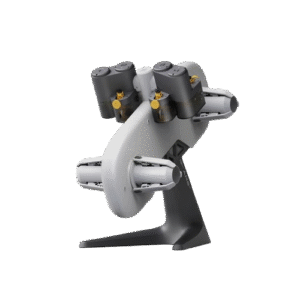
12 months Components covered
- AMS lite Mainboard
- AMS lite Housing Assembly
- AMS lite Filament Hub Unit
- AMS lite Feeder Motor
- AMS lite Stand
- AMS lite Feeder Cap
- AMS lite Feeder Support
- AMS Lite 4-pin Cable
3 months Shorter-period components
- AMS lite Feeder Unit (excluding wear of the Filament Sensor Magnet in the Filament Funnel)
- AMS lite Rotary Spool Holder (excluding AMS lite Spool Claw)
No warranty Consumables and accessories
- PTFE Tube / PTFE Tube Connector
- AMS lite Filament Funnel Unit (Left) / AMS lite Filament Funnel Unit (Right)
- AMS lite Spool Claw
- Desiccant for AMS
No part in this model's list matches your search.
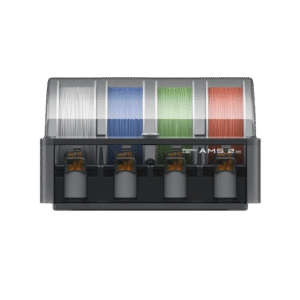
12 months Components covered
- AMS 2 Pro Mainboard
- AMS 2 Pro Top Lid
- AMS 2 Pro Bottom Cover Unit
- AMS 2 Pro Main Frame
- AMS 2 Pro Power Board
- AMS RFID Board
- AMS 2 Pro Internal Hub Unit
- 3520 AMS Internal Assist Motor
- Bambu Bus Cable - 6pin
- AMS 2 Pro Heating Unit
- AMS 2 Pro Air Inlet Unit
- AMS 2 Pro PTFE Tube Release Button
- Switching Adapter
3 months Shorter-period components
- AMS 2 Pro Feeder Unit (Excluding AMS Feeder Funnel Unit)
No warranty Consumables and accessories
- AMS 2 Pro PTFE Tube (AMS Internal) / PTFE Tube from AMS 2 Pro to H2D Printer
- AMS 2 Pro Active Support Shaft Assembly / AMS 2 Pro Driven Support Shaft Assembly
- AMS Feeder Funnel Unit
- Desiccant for AMS
No part in this model's list matches your search.
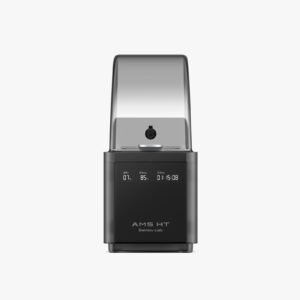
12 months Components covered
- AMS HT Mainboard
- AMS HT Top Lid
- AMS HT Bottom Cover Unit
- AMS HT Main Frame
- AMS HT Power Board
- AMS HT RFID Coil
- AMS HT Power Socket
- AMS HT Heating Unit
- AMS HT Feeder Hall Sensor Assembly
- AMS HT Screen
- AMS HT Filament Retraction Assembly
- AMS HT Air Inlet Unit
- AMS HT Lid Status Hall Sensor
- Switching Adapter
3 months Shorter-period components
- AMS HT Feeder Unit
No warranty Consumables and accessories
- AMS HT PTFE Tube and PTFE Tube Connector
- AMS HT Active Support Shaft Assembly / AMS HT Driven Support Shaft Assembly
- Desiccant for AMS
No part in this model's list matches your search.
Purifier E1 Pro warranty
Bambu Lab Purifier E1 Pro
12 months Components covered
- E1P Purifier front cover assembly
- E1P Filter compartment cover
- 2m 4-pin Cable
No warranty Consumables and accessories
- E1P Primary filter media
- E1P Purifier exhaust duct
- E1P Purifier Laser Smoke Filter Group
No part in this model's list matches your search.
E1 Air Purifier warranty
Bambu Lab E1 Air Purifier
12 months Components covered
- Fan
- Button Assembly
- Main Board
- PM2.5 Sensor
- Front Cover
- Back Cover
- Power Supply
- Exhaust Hose Adapter
- Power Socket
- Exhaust Hose Connector
No warranty Consumables and accessories
- Air Filter
- Exhaust Hose
- Foam Padding Set for Filter & Machine Feet
No part in this model's list matches your search.
Workstation L warranty
Bambu Lab Workstation L (Open Frame / Enclosed Version)
12 months Components covered
- Drawer Slides
- Uprights
- Drawer
- Storage Upgrade kit
- Caster Wheel
- Drawer Front
- Tabletop
- Back Panel
- Base
- Side Panel
No part in this model's list matches your search.
Raise a Bambu Lab support ticket first
If your Bambu Lab product has a problem, please raise a ticket with Bambu Lab support first. Their technical team can diagnose the issue from your printer logs, photos and videos, and you will usually get the fastest answer this way. Keep your ticket number handy when you contact us.
How to raise a ticket in the Bambu Handy app
- Open Support Center. Open the Bambu Handy app, tap Me in the bottom bar, then tap Support Center.
- Add a ticket. In the Ticket Service section tap Add a ticket. Select the type of issue (for a printer problem choose Printer) and tap Next.
- Select your printer. Choose the Region, Serial Number and Printer model. If your printer is bound in Bambu Handy, tap the arrow on the right and the serial number fills in automatically. Tap Next.
- Describe the problem. Write a detailed description and select the problem type (tap Auto-detect to fill it in automatically). Add photos or videos, then tap Next.
- Add logs and details. Upload the attachments asked for, such as printer logs, HMS photo and filament type. To add logs, tap Add Logs, pick your printer, then either select the print record from when the problem happened or set the time period manually, and tap Confirm.
- Submit. Tap Submit. Note down your ticket number and keep a screenshot of the submitted ticket ready to share with us.
No app, or printer offline?
You can also raise a ticket on the Bambu Lab support website (click New Ticket) with the same details. If the printer is not connected to the internet, export the logs to a USB drive or SD card from the printer (Settings > Export Log to external storage on H2 series, P2S, X2D, X1 series and H3C; on P1 and A series, eject the SD card and use its log folders) and upload them on the website. Do not rename the log file.
Read the official guides: How to upload log files and Ticket types and common issues.
Use a Technical ticket for hardware or software problems. Questions about orders, damaged packages or missing accessories on delivery go under a General ticket.
How to claim warranty
Three simple steps. Keep your Voxelstudio invoice ready.
Raise a Bambu Lab ticket
Follow the Bambu Handy steps above and share the logs, photos or videos they ask for.
Follow their guidance
Bambu Lab support may suggest a fix or ask for more details. Try what they suggest and reply to their ticket.
Contact Voxelstudio
If it is not resolved, email us your invoice, printer serial number and Bambu Lab ticket number (with a screenshot of the ticket). We will help with the claim and coordination with Bambu Lab.
Good to know
Keep your Voxelstudio invoice safe – you will need it for any warranty claim.
This page follows the Bambu Lab Warranty Policy published on bambulab.com. Bambu Lab may update its policy at any time and the official policy prevails.