Anycubic Warranty
Know exactly what your Anycubic warranty covers
Warranty period for Anycubic FDM printers, resin printers and accessories, with the parts that have a shorter period or no warranty.
Warranty at a glance
The warranty period for a complete Anycubic machine is one year. Some components have a shorter period, and consumables are not covered.
| Product group | Applies to | Main warranty | Shorter-period parts | Not covered |
|---|---|---|---|---|
| Printers | ||||
| FDM Printers | All Anycubic FDM printers (Kobra series) | 12 months | 6 months: Heated bed and glass plate 3 months: Print head, extruder and platform | 1 items |
| Resin Printers (LCD/DLP) | All Anycubic LCD and DLP resin printers (Photon series) | 12 months | 6 months: LCD screen (extended from 3 months) 3 months: LCD screen (older models) | 2 items |
| Accessories | ||||
| Accessories (sold separately) | Parts and accessories bought separately from the machine | 3 to 6 months | 6 months: AirPure 3 months: Parts and modules | 4 items |
Coverage compared
How the same part is treated for printers and for accessories bought separately.
| Part category | FDM Printers | Resin Printers | Accessories (sold separately) |
|---|---|---|---|
| Complete machine | 12 mo | 12 mo | Not listed |
| Other main components (except tools) | 12 mo | 12 mo | Not listed |
| Print head, hot end and extruder assembly | 3 mo | Not listed | 3 mo |
| Magnetic platform and cutter | 3 mo | Not listed | 3 mo |
| Heated bed | 6 mo | Not listed | 3 mo |
| Glass plate | 6 mo | Not listed | Not listed |
| LCD screen | Not listed | 3 / 6 mo | 3 mo |
| Resin vat | Not listed | Not listed | 3 mo |
| Motherboard, motor, belt, fan and power supply | Not listed | Not listed | 3 mo |
| AirPure | Not listed | Not listed | 6 mo |
| Nozzle and PTFE tube | Not listed | Not listed | None |
| FEP / NFEP / ACF film | Not listed | None | None |
How the warranty works
Key points from the Anycubic warranty policy.
Warranty period
- The warranty period starts on the day the product is delivered.
- If you receive a replacement, the period is paused while you wait and continues when the replacement arrives.
- A replacement item has the same remaining warranty as the original.
If a product is faulty
- Anycubic first tries to resolve the issue through online troubleshooting or software updates.
- If the issue is covered and cannot be resolved online, Anycubic arranges a free replacement of the necessary parts.
- If the after-sales engineer decides the product is unusable, Anycubic provides a reissue or refund.
After the warranty ends
- Anycubic provides lifetime free after-sales technical support.
Other regions
- If local consumer protection laws differ from the warranty period in the policy, Anycubic provides after-sales service in line with local regulations.
Warranty by product group
Select a product group to see its warranty timeline, the parts covered and what is not covered.
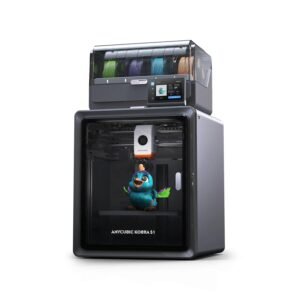
FDM Printers warranty
All Anycubic FDM printers (Kobra series)
Covers
Available at Voxelstudio
12 months Complete printer and main components
- Complete printer
- Other main components (except tools)
The warranty for the complete machine is one year. Gifted machines and second-hand machines are not covered.
6 months Heated bed and glass plate
- Heated Bed
- Glass Plate
3 months Print head, extruder and platform
- Print head (including hot end)
- Extruder assembly
- Magnetic Platform
- Cutter
- Extruder gear
No warranty Consumables and tools
- Tools
Tools are not covered by the main-component warranty.
No part in this group matches your search.
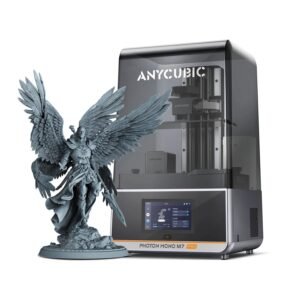
Resin Printers (LCD/DLP) warranty
All Anycubic LCD and DLP resin printers (Photon series)
Covers
Available at Voxelstudio
12 months Complete printer and main components
- Complete printer
- Other main components (except tools and FEP film)
The warranty for the complete machine is one year. Gifted machines and second-hand machines are not covered.
6 months LCD screen (extended from 3 months)
- LCD screen - Mono 2
- LCD screen - Mono X 6Ks
- LCD screen - Mono M5s
- LCD screen - Mono M5
- LCD screen - Mono M5s Pro
- LCD screen - M7 Pro
- LCD screen - M7
- LCD screen - M7 Max
- LCD screen - Mono 4
- LCD screen - Mono 4 Ultra
- LCD screen - P1
The LCD screen warranty of these machines was extended from 3 months to 6 months. It also applies to LCD printers listed by Anycubic later.
3 months LCD screen (older models)
- LCD screen - M3 series
- LCD screen - Mono 4K
- LCD screen - Mono 6K
- LCD screen - Mono X
- LCD screen - Mono X2
No warranty Consumables and tools
- FEP film (consumable)
- Tools
FEP film is a consumable and tools are not covered by the main-component warranty.
No part in this group matches your search.
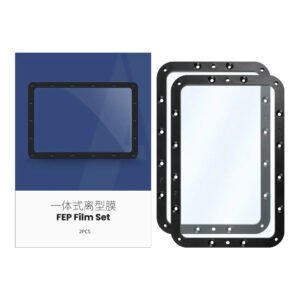
Accessories (sold separately) warranty
Parts and accessories bought separately from the machine
Covers
Available at Voxelstudio
6 months AirPure
- AirPure (activated carbon is a consumable; man-made damage and disassembly are not covered)
3 months Parts and modules
- Cutter
- Print head / print head module
- Cable holder
- Purge wiper
- Extruder assembly
- Heated bed / magnetic platform (scratches and damage from drops or bumps are not covered)
- Motherboard (PCB board)
- Cooling fan
- Belt
- Motor
- Camera
- Control screen
- LCD screen (resin leakage, scratch-resistant film damage, man-made damage and collision damage are not covered)
- UV lamp module / lens
- Resin vat / Smart resin vat (installation tools, FEP/NFEP/ACF and screws are not covered)
- Auto-Feed Unit
- Washing container (no warranty for man-made damage, for example residual cured resin in the bucket)
- Print platform (Dual-material, Hollow Steel)
- Strain gauge
- Buffer component
- Material break detection module
- Auto-fill set
- Guide rail
- Ball screw
- Lead screw (including motor)
- Anti-backlash assembly
- Power supply (switching power supply / power module)
The warranty period of accessories sold separately is not related to the warranty period of the accessories that come with a whole machine.
No warranty Consumables and tools
- Nozzle (consumable)
- Teflon pipe (PTFE pipe)
- Film (FEP / NFEP / ACF - consumable)
- Peristaltic pump tube (consumable)
Consumables are not covered by the warranty.
No part in this group matches your search.
Before you claim
What you need
- Proof of purchase: your invoice or receipt and order number
- The serial number (SN code) of the product, or visible evidence of the defect
- Product not damaged or modified without permission
- Product used as described in the instruction manual
- Accessories and peripherals that meet the product requirements
What is not covered
- Products beyond the warranty period, free products and second-hand products
- No valid proof of purchase, or signs of forgery or tampering
- Faults from unauthorized use or modification, moisture, foreign bodies (water, oil, sand) or improper installation
- Tampered product labels or serial numbers
- Force majeure (fire, earthquake, flood) and unauthorized repair
- Normal discolouration, wear and tear or depletion during use
- Cross-regional use: machines have regional restrictions, so a version that does not allow Anycubic cloud features in your country is not a quality issue
Raise an Anycubic service request first
If your Anycubic product does not work as expected, please first check the Anycubic Wiki and the user manual. If the problem continues, create a new ticket with Anycubic through the Service Request form, and keep the ticket details handy when you contact us.
Keep these ready
- Product serial number (SN code, on the machine)
- Voxelstudio invoice and order number
- Photos or a short video of the problem
- Anycubic ticket details
Anycubic help links
- Service Request (create a ticket)
- Official Wiki
- User Manual
Anycubic states that it aims to diagnose and resolve issues through its Support Center within one business day.
How to claim warranty
Three simple steps. Keep your Voxelstudio invoice ready.
Raise an Anycubic ticket
Create a Service Request with Anycubic and share the photos, video or details they ask for.
Follow their guidance
Anycubic may suggest troubleshooting or a software update first. Try what they suggest and reply to your ticket.
Contact Voxelstudio
If it is not resolved, email us your invoice, the product serial number and your Anycubic ticket details. We will help with the claim and coordination with Anycubic.
Good to know
Keep your Voxelstudio invoice safe – you will need it for any warranty claim.
This page follows the Anycubic warranty policy published on the Anycubic website. Anycubic may update its policy at any time and the official policy prevails.